




What is a Gochi Wallet?
A Gochi wallet is a digital interface that allows you to securely store, manage, and interact with your Gochi tokens. Operating on the EVM (Ethereum Virtual Machine) blockchain, Gochi leverages the robust infrastructure of Ethereum-compatible networks to facilitate seamless transactions. Gochi is a token that can be managed and stored using the Bitget Wallet, a secure crypto wallet trusted by 40 million users for exploring Web3.
Download Bitget Gochi Wallet
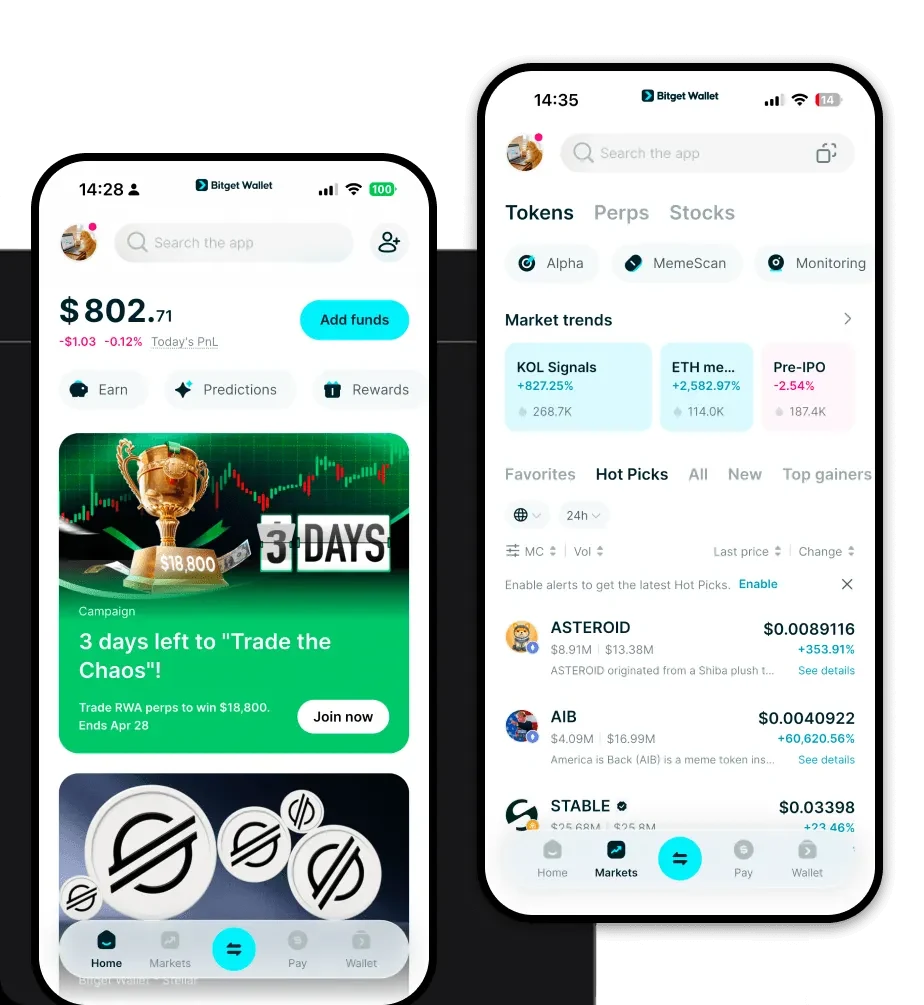
Getting started with your Gochi journey requires a reliable entry point into the Web3 ecosystem. The Bitget Wallet app provides a unified gateway for all your on-chain activities, offering a self-custodial solution that puts you in complete control of your private keys. Whether you are using an iOS or Android device, or prefer the convenience of a browser extension for desktop interactions, the installation process is straightforward. With comprehensive support for over 130 blockchains, Bitget Wallet ensures your assets are easily accessible. You can download Bitget Wallet today to experience a multi-chain environment designed for efficiency and security.
Why Choose Bitget Gochi Wallet?
Choosing the right wallet for an EVM-based meme token is critical for both security and user experience. Bitget Wallet stands out by providing features tailored to the high-velocity world of decentralized finance:
- Native EVM Compatibility: Seamlessly interact with decentralized applications (dApps) and smart contracts without compatibility issues, ensuring your Gochi tokens are always ready for use.
- Community-Driven Focus: Designed to support the fast-paced nature of community-driven tokens, the wallet interface allows for quick tracking of market sentiment and token performance.
- High Liquidity Aggregation: Benefit from an integrated swap feature that taps into hundreds of DEXs, ensuring you get the best price and deep liquidity when trading your Gochi tokens.
- Advanced Security Infrastructure: With a $300 million User Protection Fund and robust self-custody protocols, your assets are shielded against common threats in the crypto space.
How to Create a Gochi Wallet
Setting up your wallet is the first step toward managing your Gochi assets independently. Follow these steps to get started:
- Download and Install: Visit the official website to download Bitget Wallet and install the application on your preferred device.
- Create a New Wallet: Open the app and select 'Create a Wallet.' Ensure you are in a private environment to keep your recovery phrase secure.
- Secure Your Seed Phrase: Carefully write down your 12-word recovery phrase and store it in an offline location; never share this with anyone.
- Add Gochi to Your List: Navigate to the 'Manage Tokens' or 'Add Token' section and search for the Gochi contract address to ensure it appears in your dashboard.
- Verify Account Setup: Once confirmed, your unique EVM wallet address is ready to receive and store Gochi tokens.
What Can You Do With a Gochi Wallet?
Owning a Gochi wallet opens up a variety of possibilities within the EVM ecosystem. Here is how you can utilize your tokens effectively:
- Trading: Execute buy and sell orders directly through the wallet's built-in DEX aggregator to capitalize on market movements.
- Holding: Securely store your Gochi tokens in a self-custodial environment, protecting them from centralized exchange risks.
- Staking: Participate in community-backed staking protocols to potentially earn rewards on your Gochi holdings.
- Swapping: Utilize the cross-chain bridge and swap features to exchange Gochi for other assets seamlessly without leaving the application.
How Gochi Wallets Are Different from Other Crypto Wallets
Because Gochi operates on an EVM-compatible chain, it differs significantly from non-EVM assets like Bitcoin or Solana. Unlike Bitcoin wallets that utilize a UTXO (Unspent Transaction Output) model, your Gochi wallet uses an account-based model, which is essential for interacting with complex smart contracts. Furthermore, since Gochi relies on the EVM ecosystem, you will need to manage gas fees in the native coin of the chain (such as ETH or BNB) to process transactions. Bitget Wallet streamlines this by providing real-time gas estimations and optimized transaction routing, making it superior to basic wallets that lack the infrastructure to handle the high-frequency trading typical of meme tokens.
