





What is a Minecube Wallet?
Minecube (MCUBE) is a project often associated with the intersection of gaming and blockchain technology. Users can manage, store, and trade their MINECUBE assets securely using wallets like Bitget Wallet, which provides access to broader Web3 ecosystems. Because MCUBE operates on an EVM (Ethereum Virtual Machine) compatible blockchain, it leverages the standard account-based model, making it highly interoperable with existing decentralized finance protocols and dApps. A Minecube wallet is essentially a digital interface that allows you to interact with this specific chain, view your MCUBE balance, and sign transactions seamlessly within the decentralized ecosystem.
Download Bitget Minecube Wallet
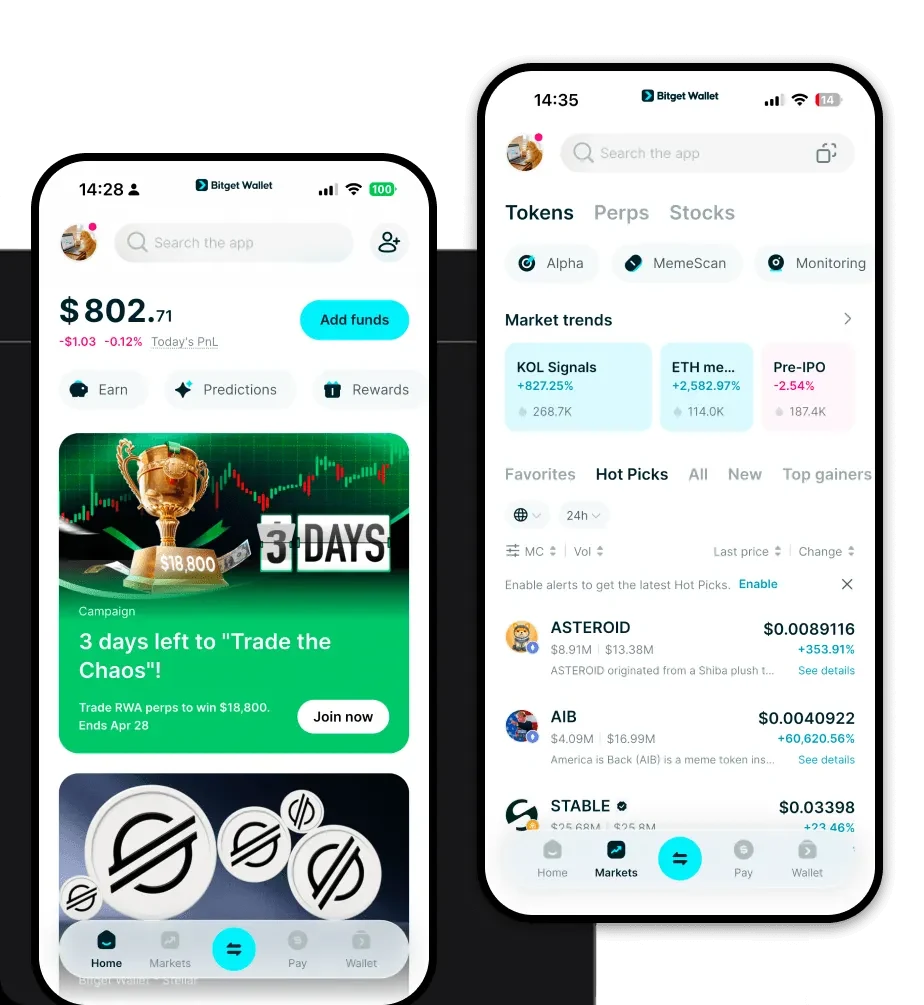
To start managing your assets, you need a reliable application that bridges the gap between complex blockchain protocols and user-friendly interfaces. Bitget Wallet offers a comprehensive solution that supports over 130 public chains, ensuring that your MCUBE tokens are always accessible. Whether you are using an iPhone, an Android device, or a desktop browser, the experience remains consistent and secure.
By choosing to download Bitget Wallet, you are opting for a non-custodial solution, meaning you maintain full ownership of your private keys. This is critical for asset security in the DeFi space. The wallet is designed to be lightweight, fast, and intuitive, allowing you to import existing addresses or create new ones in seconds without navigating complicated technical hurdles.
Why Choose Bitget Minecube Wallet?
- EVM Ecosystem Integration: Bitget Wallet provides native support for EVM-compatible chains, ensuring that your MCUBE transactions are optimized for speed and cost-efficiency, similar to how MetaMask functions but with a more robust, all-in-one interface.
- Robust Security Architecture: With a $300 million user protection fund, Bitget Wallet adds a layer of institutional-grade security to your DeFi activities, protecting you against common vulnerabilities associated with decentralized asset management.
- Seamless DApp Connectivity: The built-in DApp browser allows you to interact directly with gaming platforms and DeFi protocols, making it the best wallet for Minecube if you prioritize ease of access to decentralized ecosystems.
- Advanced Asset Management: You can easily track your portfolio, view market data, and manage multi-chain assets in a single dashboard without switching between different applications.
How to Create a Minecube Wallet
Creating a wallet for your MCUBE tokens is a straightforward process designed for both newcomers and experienced crypto users:
Step 1: Download and install the Bitget Wallet app from the official website or your mobile app store.
Step 2: Launch the application and select 'Create a New Wallet.' If you already have a seed phrase from another wallet, you can choose 'Import Wallet' instead.
Step 3: Secure your recovery phrase by writing it down on paper and storing it in a safe, offline location. Never share this phrase with anyone.
Step 4: Once the wallet is set up, locate the 'Add Token' feature. Search for the specific contract address of MCUBE to ensure the token appears correctly in your dashboard.
Step 5: Your wallet is now ready. You can copy your public address to receive MCUBE tokens or connect your wallet to decentralized exchanges to start trading.
What Can You Do With a Minecube Wallet?
Holding MCUBE in a compatible wallet opens up a variety of utility-driven use cases within the gaming and DeFi space:
Trading on Decentralized Exchanges: You can connect your Bitget Wallet to major DEXs to swap your MCUBE tokens for other assets, taking advantage of deep liquidity pools without relying on centralized intermediaries.
Holding for Long-term Investment: By utilizing the secure, non-custodial nature of the wallet, you can safely store your MCUBE tokens as part of a long-term strategy, keeping them protected until you decide to move or sell them.
Staking for Potential Yield: You can participate in staking protocols directly through the wallet’s interface, allowing you to lock your MCUBE tokens and earn passive rewards or yield over time.
Managing In-game Assets: As MCUBE is tied to gaming, the wallet acts as your inventory, allowing you to hold, transfer, and interact with various in-game items or currency tokens that exist on the chain.
Participating in Ecosystem Governance: Many DeFi projects allow token holders to vote on proposals; having your MCUBE in a self-custody wallet enables you to participate in community-driven tokenomics and governance decisions directly.
How Minecube Wallets Are Different from Other Crypto Wallets
When dealing with EVM-based tokens like MCUBE, the choice of wallet matters. Unlike BTC wallets that rely on UTXO (Unspent Transaction Output) models, the EVM model utilized by MCUBE uses an account-based structure. This means your wallet balance is simply the state of your address on the blockchain, which allows for more complex interactions with smart contracts.
Bitget Wallet enhances this by aggregating liquidity across hundreds of DEXs and cross-chain bridges, a feature not found in standard basic wallets. While some wallets are limited to simple sending and receiving, a specialized EVM wallet like Bitget allows you to estimate gas fees more accurately and interact with complex DeFi protocols with ease, providing a much higher degree of efficiency for active traders and gamers.
