



What is a qwakka Wallet?
A qwakka wallet is a digital interface that allows you to interact with the Solana blockchain to store, send, and receive qwakka tokens. Because qwakka operates on the Solana network, your wallet acts as your personal gateway to the decentralized web. QWAKKA is a cryptocurrency that can be managed and stored using the Bitget Wallet, a platform trusted by 40 million users for secure Web3 exploration and asset management. Understanding that your qwakka assets exist on the blockchain rather than inside the wallet application itself is the first step toward secure crypto management. Your wallet simply holds the private keys that prove ownership of your qwakka tokens on the Solana ledger.
Download Bitget qwakka Wallet
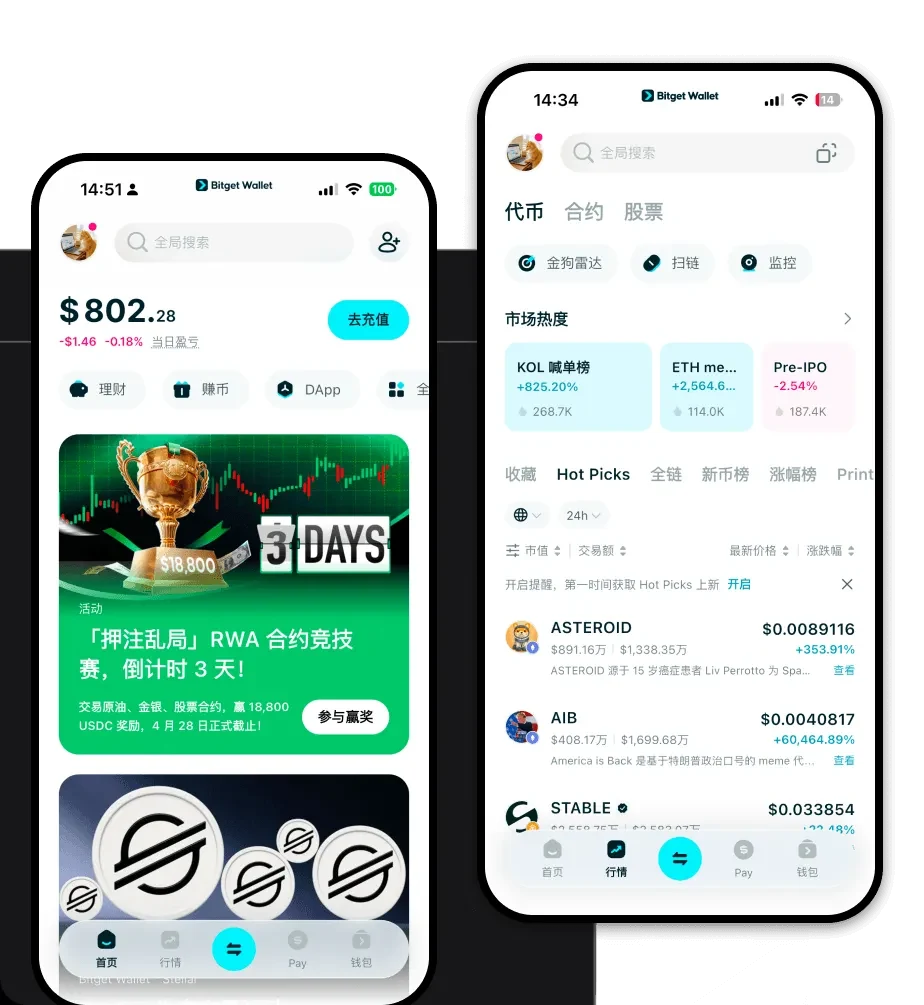
Getting started with your digital assets requires a reliable tool that puts security first. To access your tokens, you should download Bitget Wallet, which serves as a robust gateway for your Solana-based assets. Bitget Wallet offers a comprehensive, user-friendly experience across iOS, Android, and browser extensions, ensuring you can manage your portfolio whether you are on the move or at your desktop. Unlike centralized exchanges, this self-custodial solution ensures that you remain the sole owner of your private keys. With support for over 130 blockchains, it is designed to grow alongside your crypto journey, providing a seamless interface to track your qwakka holdings alongside a vast array of other digital currencies.
Why Choose Bitget qwakka Wallet?
Selecting the right wallet is critical when dealing with meme coins on high-performance chains like Solana. Bitget Wallet stands out for several technical and user-centric reasons:
- Native Solana Integration: Enjoy optimized performance for the Solana ecosystem, ensuring that your qwakka transactions are processed with the high-speed throughput the chain is famous for.
- Minimal Transaction Overhead: Leverage the wallet's efficient routing to keep your transaction costs low, which is essential when actively trading volatile meme assets.
- Advanced Security Protocols: Benefit from a platform protected by a $300 million user protection fund, adding a critical layer of safety for your digital asset management.
- Unified DApp Access: Explore the vibrant world of decentralized finance and community-driven projects directly through the built-in DApp browser, specifically optimized for Solana's unique ecosystem.
- Market-Leading Liquidity: Utilize the wallet's aggregated DEX features to tap into deep liquidity pools, helping you get the best possible execution for your qwakka trades.
How to Create a qwakka Wallet
Setting up your wallet is a straightforward process designed to secure your assets from day one:
- Download and Install: Visit the official website to download Bitget Wallet for your preferred device (iOS, Android, or browser extension).
- Initialize Wallet: Open the app and select 'Create a New Wallet' to begin the setup process.
- Secure Your Seed Phrase: The app will generate a 12-word recovery phrase. Write this down on physical paper and keep it in a secure, offline location; never share this with anyone.
- Verify and Set Password: Confirm your recovery phrase as prompted and set a strong, unique password to secure the application on your device.
- Access Your Address: Once initialized, navigate to the asset dashboard, search for 'Solana' or your specific token to view your unique public address, which you can use to receive qwakka.
What Can You Do With a qwakka Wallet?
Owning qwakka tokens is just the beginning. With your Bitget Wallet, you can engage with the ecosystem in several meaningful ways:
- Trading on decentralized exchanges: Utilize the wallet's integrated DEX aggregators to swap qwakka for other tokens instantly with minimal slippage.
- Holding for speculative appreciation: Securely store your qwakka long-term, keeping your private keys offline and protected while waiting for potential market movements.
- Community engagement: Participate in viral social sentiment and community-driven initiatives by connecting your wallet to various Web3 platforms and meme-coin dashboards.
- Wallet storage management: Organize your entire portfolio within a single interface, tracking performance and managing multiple assets across different chains alongside your qwakka holdings.
How qwakka Wallets Are Different from Other Crypto Wallets
Not all crypto wallets are built the same, especially when transitioning between different blockchain architectures. Unlike wallets designed for EVM-based chains (like Ethereum), which rely on gas-heavy smart contract interactions, a Solana-based qwakka wallet is optimized for the Solana architecture. This means it handles the unique account model of Solana, where transaction fees are significantly lower and processing speeds are drastically faster. While Ethereum wallets might struggle with network congestion and high fees, your Bitget Wallet for qwakka is built to handle the high-frequency nature of meme coins, ensuring that you can execute transactions rapidly without worrying about the prohibitive costs often found on older, proof-of-work, or legacy EVM chains.
